For many nonprofit organizations, the final few months of the year are some of the most important for fundraising. Donors are thinking about charitable giving, organizations are working toward annual goals, and mailboxes are filling up with year-end appeals.
That also means your nonprofit has plenty of competition for a donor’s attention.
A successful year-end appeal doesn’t need to be complicated or expensive. It does, however, need to give donors a reason to stop, read, and take action.
As you prepare this year’s fundraising campaign, here are seven ways to make your year-end appeal letter more effective.
- Focus on One Clear Message
Your nonprofit probably accomplished a lot this year. It can be tempting to include every success, program, statistic, and upcoming initiative in your appeal letter.
Try to resist that temptation.
Your year-end appeal should have a clear central message. What do you want donors to understand after reading it?
Instead of listing everything your organization does, focus on one need, story, program, or goal that represents the larger mission.
For example, rather than explaining five different programs, you might tell the story of one person your organization helped. You can then connect that story to the larger impact donors make possible.
A focused message is easier to remember and gives your appeal a stronger emotional connection.
- Tell a Story Instead of Just Sharing Statistics
Numbers are useful. They show donors that your organization is making an impact.
But numbers alone don’t always make people feel connected to that impact.
Consider the difference between telling someone your organization provided 10,000 meals last year and telling them about a family who was able to put dinner on the table because donors supported your food pantry.
Both pieces of information are valuable. Together, they’re even stronger.
Use a real story to show what your organization does, then use statistics to demonstrate the scale of that work.
Your donor should be able to picture the difference their contribution can make.
- Make the Donor Part of the Story
Your appeal shouldn’t only talk about your organization.
It should talk about your donors too.
Instead of repeatedly saying, “Our organization provided…” or “We were able to accomplish…,” look for opportunities to show supporters the role they played.
For example:
“Because of donors like you, 250 local families received assistance this summer.”
That small change puts the donor directly into the story.
This approach can be particularly effective with previous donors. They’ve already demonstrated that they care about your mission. Reminding them of what their past support helped accomplish gives them a reason to continue being part of that work.
- Make the Ask Clear
Don’t make donors search for the purpose of your letter.
If you’re asking for a year-end donation, say so.
Your appeal should clearly explain what you’re asking the recipient to do and, whenever possible, what their donation can accomplish.
Specific examples can make an ask easier to understand.
Instead of simply saying:
“Please consider supporting our organization.”
You might explain that a $50 donation provides supplies for a particular program, or that $100 helps your organization serve a certain number of people.
The exact approach will depend on your nonprofit, but the goal is the same. Give donors a clear connection between their contribution and its potential impact.
You can also repeat the ask throughout a longer letter. Someone who skims your appeal should still understand why you contacted them and what you’d like them to do.
- Personalize Your Appeal
A year-end appeal doesn’t have to feel like a mass mailing.
Even relatively simple personalization can make your communication feel more relevant to the recipient.
Using the donor’s name is a good starting point, but personalization can go further.
Your mailing list may allow you to create different messages for:
- Current donors
- Lapsed donors
- First-time donors
- Long-time supporters
- Volunteers
- Major donors
A donor who has supported your organization for ten years doesn’t necessarily need the same introduction as someone who first donated six months ago.
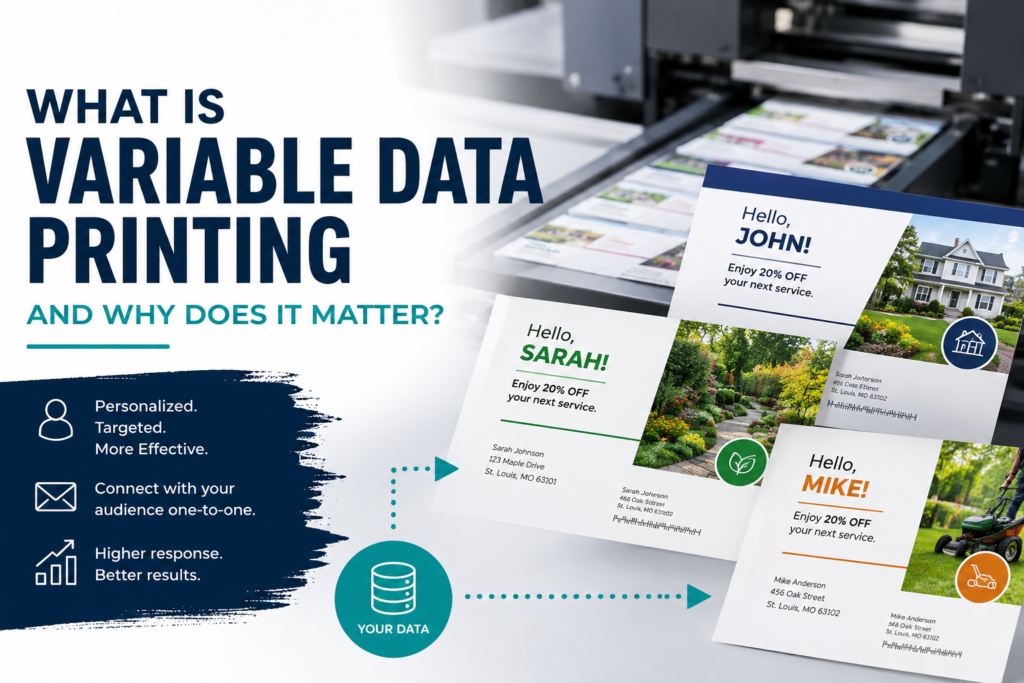
Variable data printing can also allow nonprofits to personalize certain information within a printed piece while still producing a larger mailing efficiently.
The better you understand your donor data, the more opportunities you have to make your appeal feel like a conversation rather than a generic advertisement.
- Make Donating Easy
Once someone decides to support your organization, don’t put unnecessary obstacles between that decision and the donation.
Different donors may prefer different ways to give.
Some may want to write a check and return it in the mail. Others may immediately reach for their phone.
Consider providing multiple donation options when appropriate. Your appeal package could include a reply envelope and donation form while also providing a QR code or easy-to-read website address for online donations.
If you include a QR code, test it before printing.
The same goes for website addresses, phone numbers, mailing addresses, and other important information.
A small error on thousands of printed pieces can quickly become a major problem.
- Don’t Forget About the Entire Mailing Package
The appeal letter gets most of the attention, but it isn’t the only part of your mailing.
The envelope is the first thing your donor sees.
Your reply device helps turn interest into action.
Your return envelope can make responding easier.
Even paper choice, formatting, font size, and spacing can affect how comfortable the letter is to read.
Think about the appeal as one complete package rather than several unrelated pieces.
Before sending your files to print, lay everything out together. Ask yourself what the donor sees first, what they see next, and whether it’s immediately clear how they can respond.
Start Planning Before the Year-End Rush
One of the easiest ways to improve a year-end appeal is simply to give yourself enough time.
Waiting until the last minute can mean rushing through donor data, proofreading, design, printing, and mailing. Starting earlier gives your team time to review the message, clean your mailing list, test donation links, and make adjustments before thousands of pieces are produced.
It also gives you more flexibility when deciding when you want your appeal to reach donors.
Your year-end fundraising campaign represents months, and often years, of work building relationships with supporters. The printed appeal should reflect that.
At Inkwell Printing Company, we work with nonprofit organizations to print and mail fundraising appeals, newsletters, postcards, donor communications, and other materials. From preparing your mailing list to getting the finished pieces into the mail, careful planning can help make your year-end campaign run more smoothly.
Contact us with any of your printing and direct mail needs!
For more helpful information check out our blog at: /advice-from-the-printer/
And for more information on Inkwell Printing Company check out our website at: www.inkwellstl.com